> ## Documentation Index
> Fetch the complete documentation index at: https://docs.t3gemstone.org/llms.txt
> Use this file to discover all available pages before exploring further.
# Ecosystem
> Image Processing Software Architecture
This section briefly summarizes the Python/C++ libraries used for image processing.
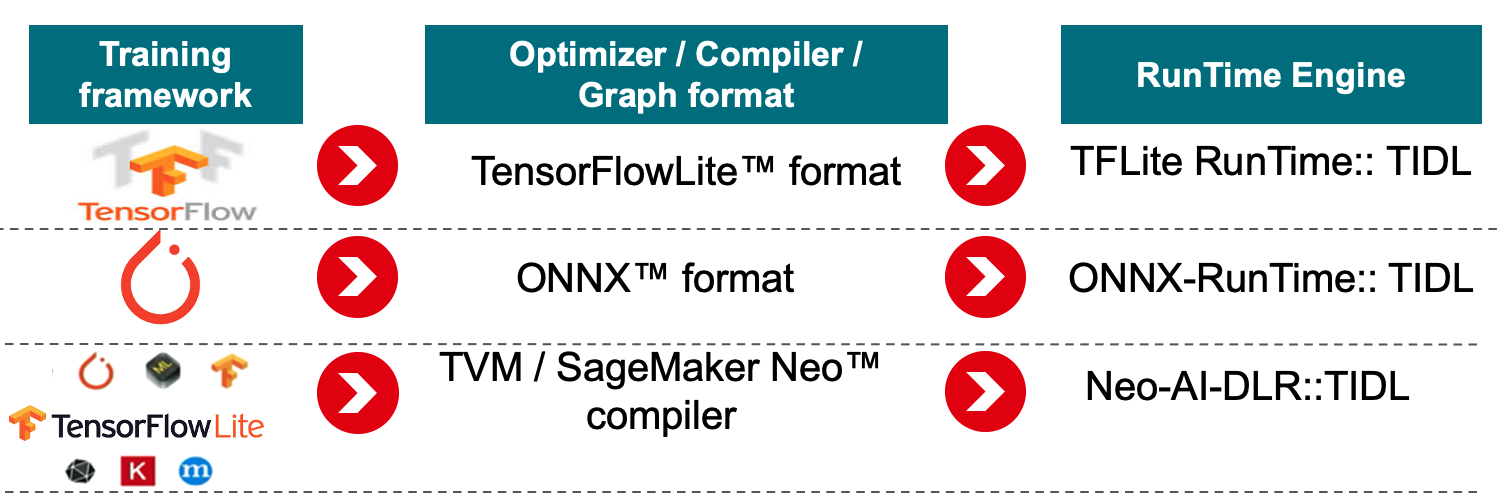
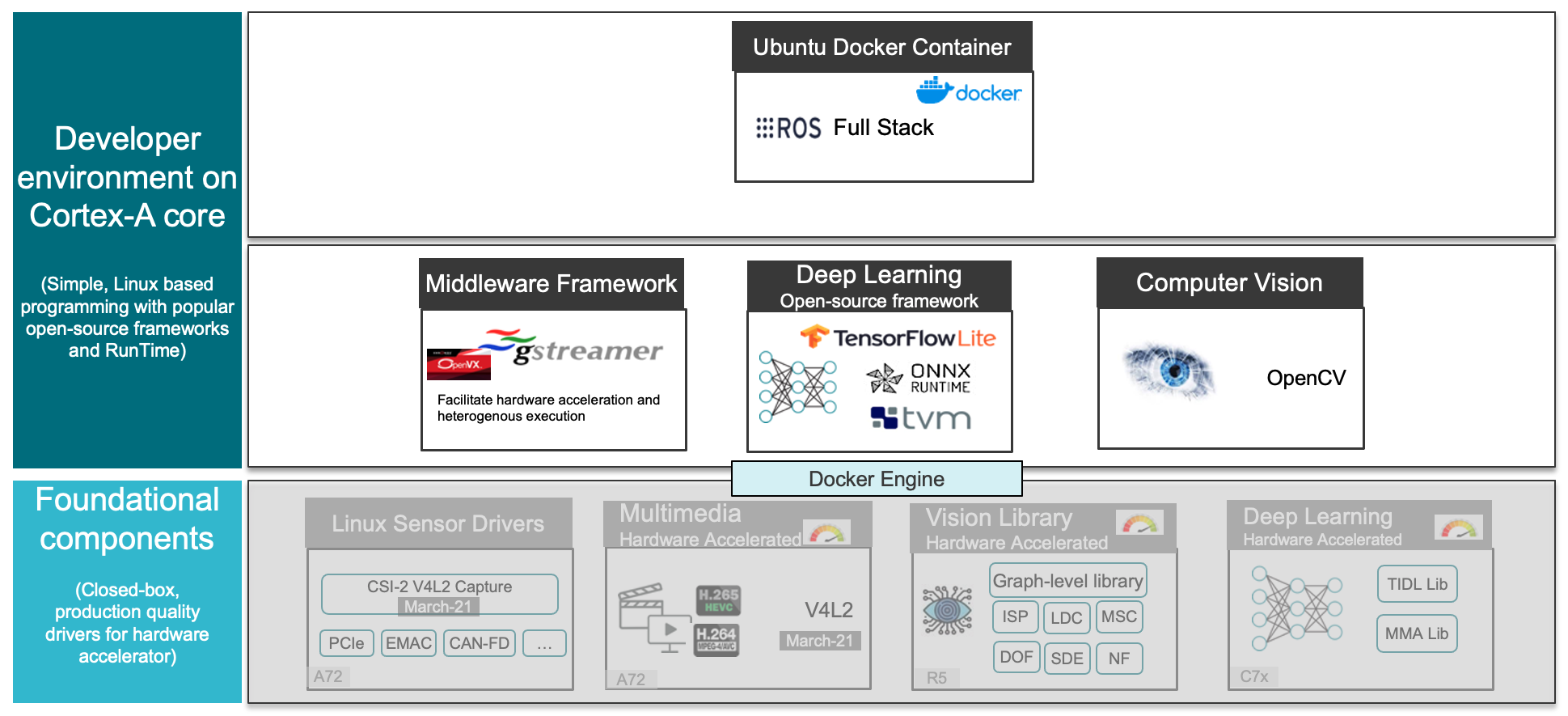 The relevant libraries are used for both compiling deep learning models and loading and running them on the development board. The supported libraries are indicated in the image below.
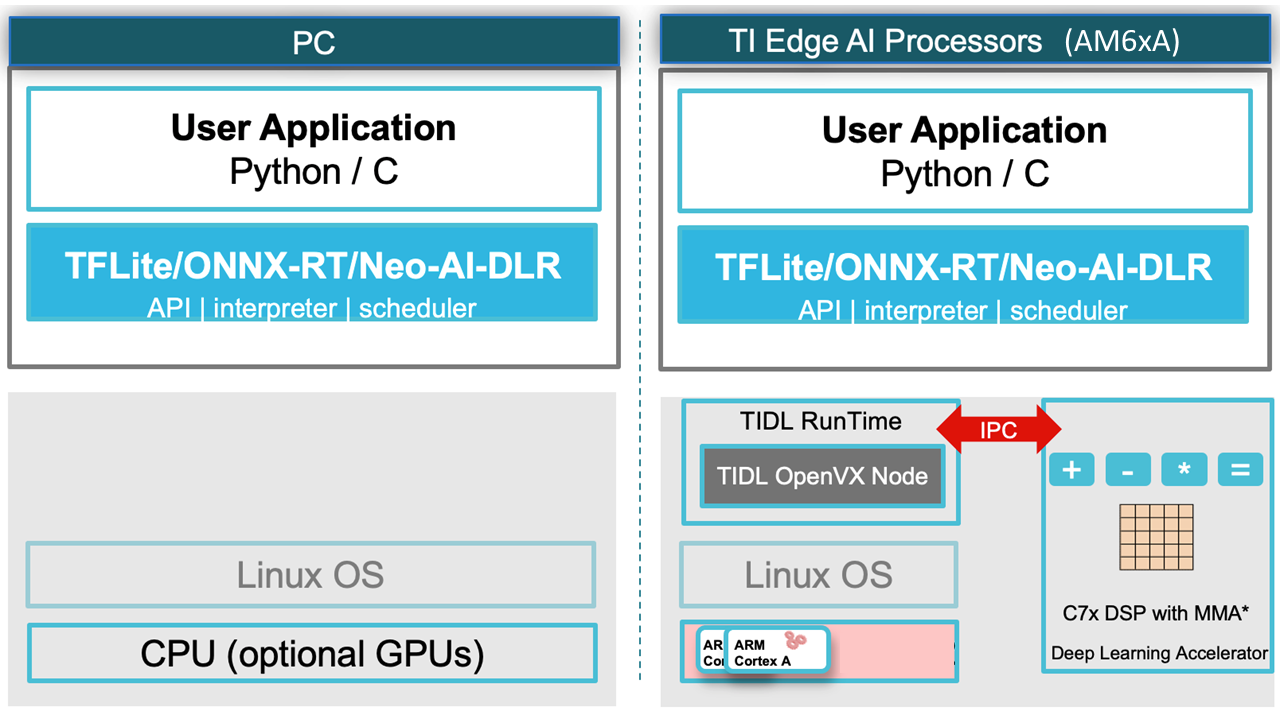
 Developers can first test their models on their own computers (e.g., on a Linux-based system) and then transfer them to the Gemstone O1 development board with minimal changes. This speeds up the development process and minimizes hardware dependency.
 ### Development Steps
Deep learning communities on the internet offer many open-source and pre-trained models.
Developers can use these models by fine-tuning them (Transfer Learning) with their own datasets.
Gemstone offers a model pool called ModelZoo to facilitate this process. The models in ModelZoo are trained on industry-standard datasets like ImageNet1k and COCO and optimized for embedded systems. Additionally, developers can include their own models in the system.
Models are compiled on the Host Computer (PC x86) before being run on the embedded hardware. In this process, "artifact" files are created using Python or C++ APIs to transfer specific layers of the model to the C7x/MMA processors. Different optimization and quantization options can be applied during compilation.
The "artifact" files generated after compilation enable the model to run on the embedded hardware. In this step, the model is put into use for real-time inference operations.
### Development Steps
Deep learning communities on the internet offer many open-source and pre-trained models.
Developers can use these models by fine-tuning them (Transfer Learning) with their own datasets.
Gemstone offers a model pool called ModelZoo to facilitate this process. The models in ModelZoo are trained on industry-standard datasets like ImageNet1k and COCO and optimized for embedded systems. Additionally, developers can include their own models in the system.
Models are compiled on the Host Computer (PC x86) before being run on the embedded hardware. In this process, "artifact" files are created using Python or C++ APIs to transfer specific layers of the model to the C7x/MMA processors. Different optimization and quantization options can be applied during compilation.
The "artifact" files generated after compilation enable the model to run on the embedded hardware. In this step, the model is put into use for real-time inference operations.