> ## Documentation Index
> Fetch the complete documentation index at: https://docs.t3gemstone.org/llms.txt
> Use this file to discover all available pages before exploring further.
# CAN Bus
> Controller Area Network (CAN)
By the end of this section, you will have learned how to create a virtual CAN interface on the Gemstone development board.
In the Gemstone operating system, a virtual CAN interface can be created, allowing data communication
without the need for any additional hardware.
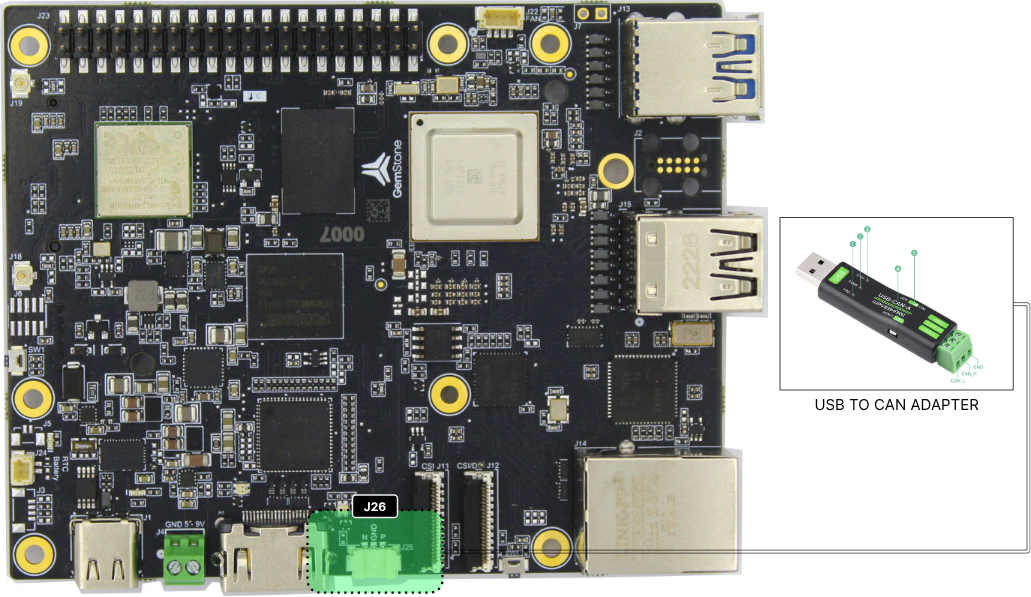 * After connecting to the Gemstone operating system, install the `kernel-module-vcan-6.1.83-ti` module to create
a virtual CAN interface.
```bash theme={"system"}
sudo apt install picocom kernel-module-vcan-6.1.83-ti
```
* Activate the installed module using the `modprobe` command.
```bash theme={"system"}
sudo modprobe vcan
```
* Follow the commands below to create the virtual CAN interface.
```bash theme={"system"}
sudo ip link add dev vcan0 type vcan
sudo ip link set up vcan0
```
* Create a script file named `can-test.sh` and open it.
```bash theme={"system"}
touch can-test.sh
nano can-test.sh
```
* Copy and paste the following code into the `can-test.sh` file. Save and close the file.
```bash theme={"system"}
#!/bin/bash
while :
do
cansend vcan0 123 #AABBCCDDEE112233
sleep 1
done
```
* Install the `can-utils` package to use commands such as `cansend` and `candump` for sending and
receiving CAN packets.
```bash theme={"system"}
sudo apt install can-utils
```
1. Open two terminals.
2. Start listening to the CAN interface from the first terminal.
```bash theme={"system"}
candump vcan0
```
3. Run the `can-test.sh` script from the second terminal.
```bash theme={"system"}
./can-test.sh
```
* After connecting to the Gemstone operating system, install the `kernel-module-vcan-6.1.83-ti` module to create
a virtual CAN interface.
```bash theme={"system"}
sudo apt install picocom kernel-module-vcan-6.1.83-ti
```
* Activate the installed module using the `modprobe` command.
```bash theme={"system"}
sudo modprobe vcan
```
* Follow the commands below to create the virtual CAN interface.
```bash theme={"system"}
sudo ip link add dev vcan0 type vcan
sudo ip link set up vcan0
```
* Create a script file named `can-test.sh` and open it.
```bash theme={"system"}
touch can-test.sh
nano can-test.sh
```
* Copy and paste the following code into the `can-test.sh` file. Save and close the file.
```bash theme={"system"}
#!/bin/bash
while :
do
cansend vcan0 123 #AABBCCDDEE112233
sleep 1
done
```
* Install the `can-utils` package to use commands such as `cansend` and `candump` for sending and
receiving CAN packets.
```bash theme={"system"}
sudo apt install can-utils
```
1. Open two terminals.
2. Start listening to the CAN interface from the first terminal.
```bash theme={"system"}
candump vcan0
```
3. Run the `can-test.sh` script from the second terminal.
```bash theme={"system"}
./can-test.sh
```